VCM's
Designing a centralized version control experience that improves traceability, collaboration, and approval workflows for defence engineering teams.
View Detailed Case Study →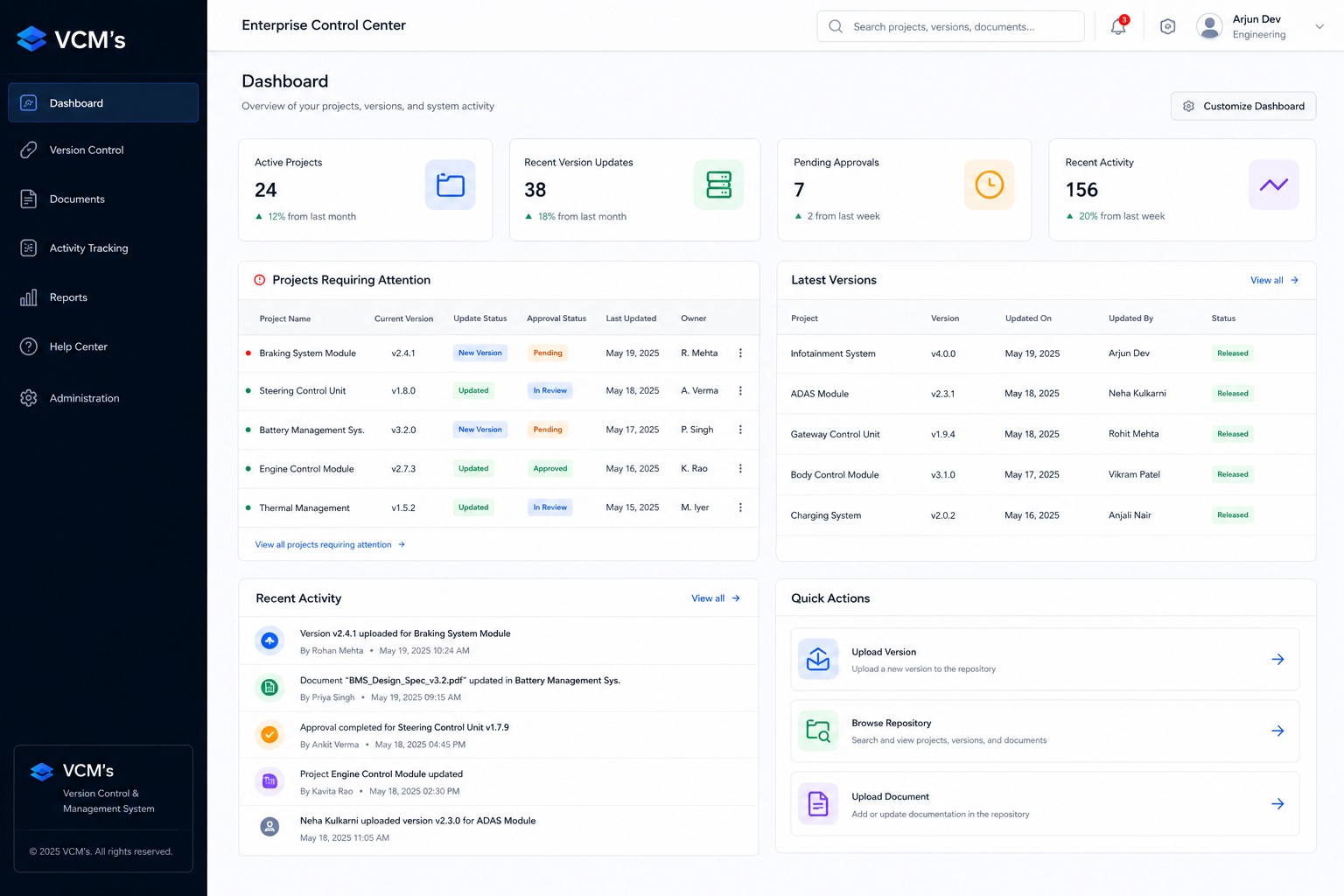
This case study omits sensitive product, operational, technical, deployment details.
Visuals and descriptions are presented at a high level to protect confidential project information.
Where project evidence was unavailable, assumptions and qualitative observations are clearly identified.
Understanding
1. What is current?
2. What changed?
3. Who changed it?
4. Why did it change?
5. What supports it?
6. Is it approved?
Make the system easier to understand, operate, and trust.
How might we redesign an enterprise version management platform so engineering teams can discover, manage, review, and trace project information efficiently while maintaining the accountability required by complex organizational workflows?
Research Findings
Why it mattered
Designing for the Software Engineer.

Developer
“I need to quickly know which version is current and whether I can trust its status.
I shouldn’t have to search across multiple places to understand what changed, who changed it, and which documents or approvals support it. The system should give me enough context to make the right decision confidently without reconstructing the story myself.”
The Friction
Fragmented information made version tracking difficult.
The Goal
Make project information clear, traceable, and actionable.
What We Found
Poor Discoverability
Important project details were scattered across multiple workflows and screens.
Manual Traceability
Users struggled connecting changes, approvals, documents, users, and timestamps.
Data Complexity
Dense technical records made searching, comparing, and verifying difficult.
Misaligned Structure
Navigation reflected system organization rather than engineers’ operational tasks.
User Workflow Painpoints
Find the release
Understand it's details
Update with accuracy
Build Confidence
How It Flow
Discover
Projects & Repositories
Manage
Versions & Metadata
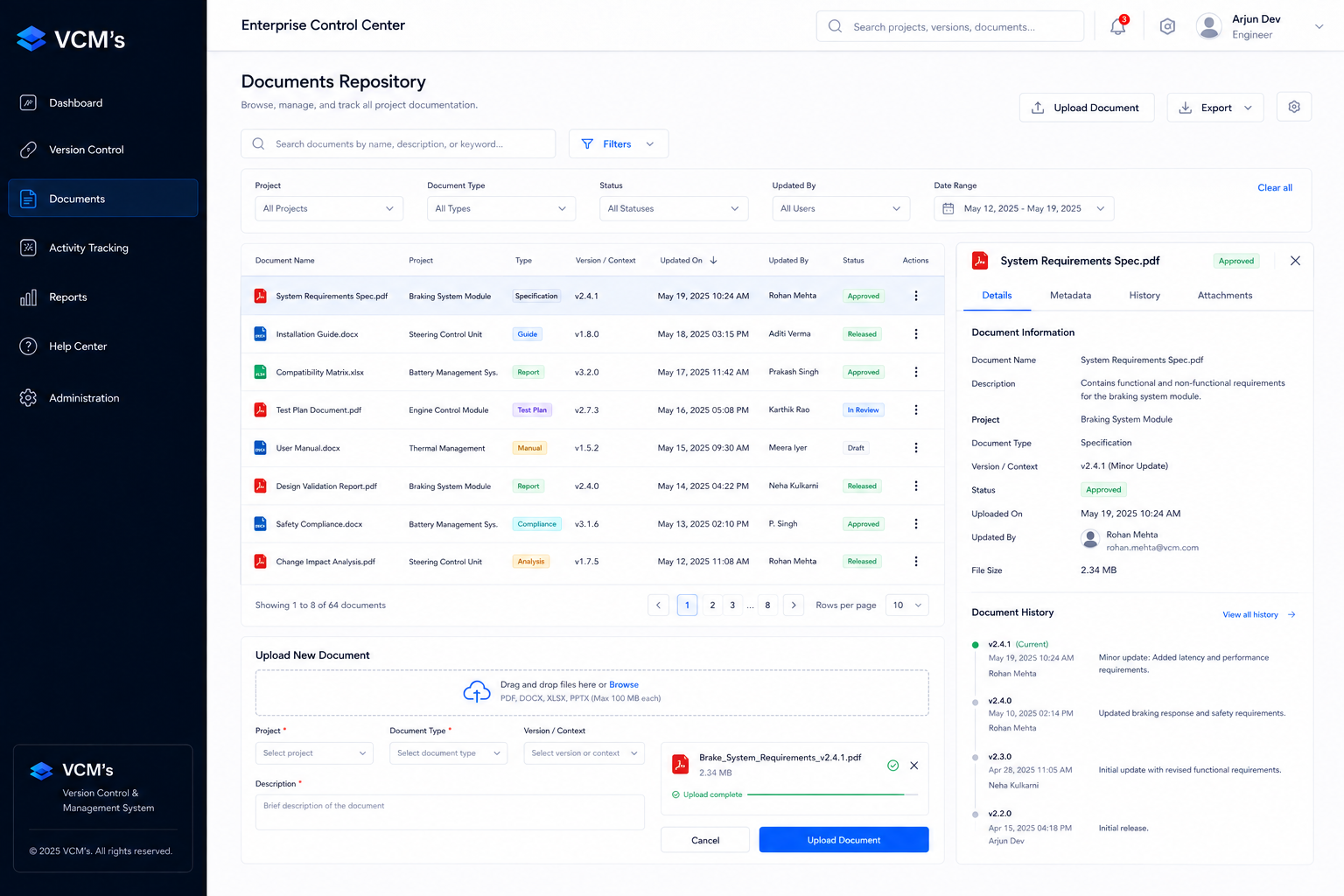
Document
Files & Certifications
Audit
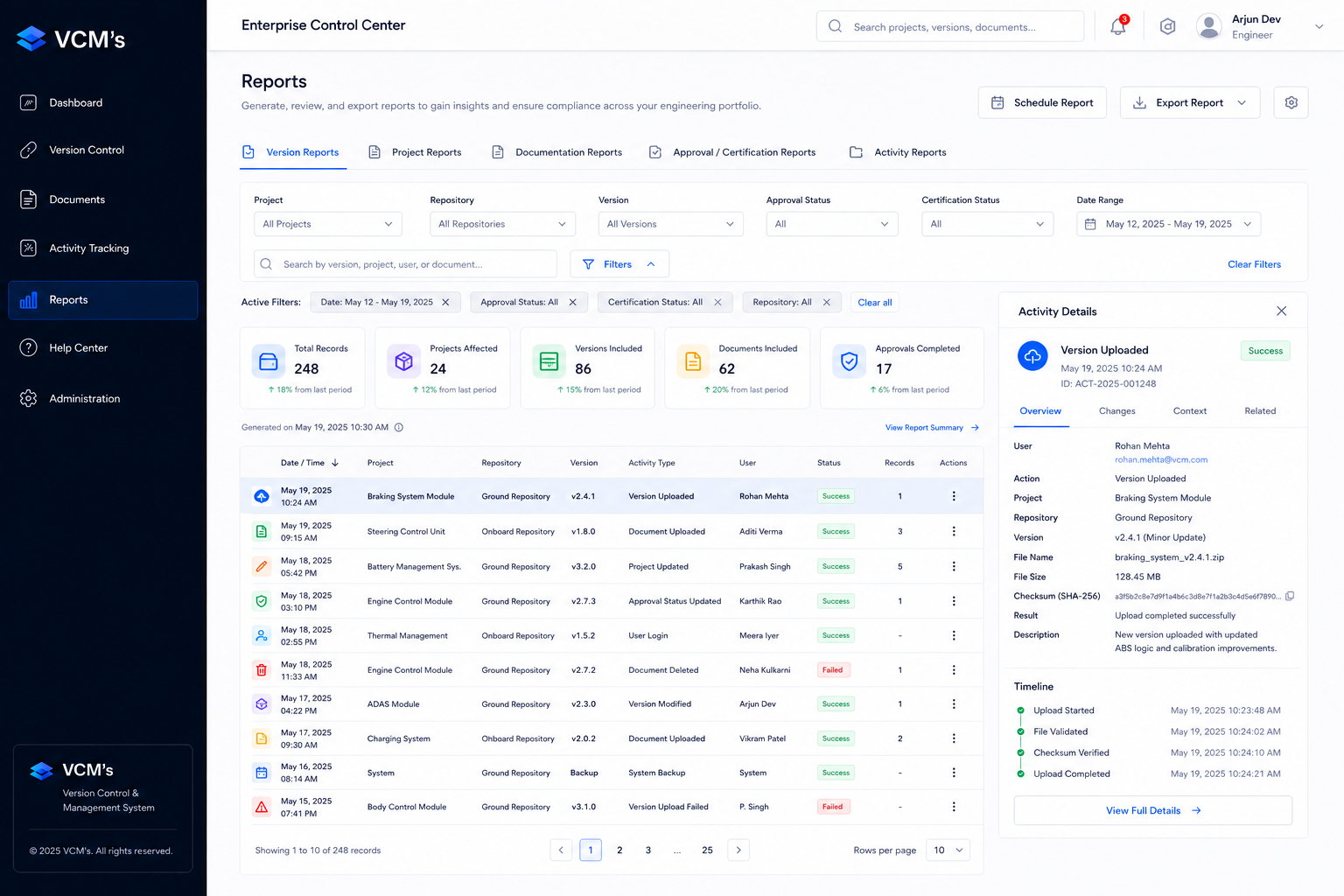
Activity & Reports
Important interactions
1: Enterprise Control Center
Turning the dashboard into an orientation layer.
Instead of treating the dashboard as a collection of analytics, I designed it around the questions engineers need to answer first: What is current? What changed? What requires attention?
- Latest Versions
- Project Updates
- Activity
2: Repository & Data Discovery
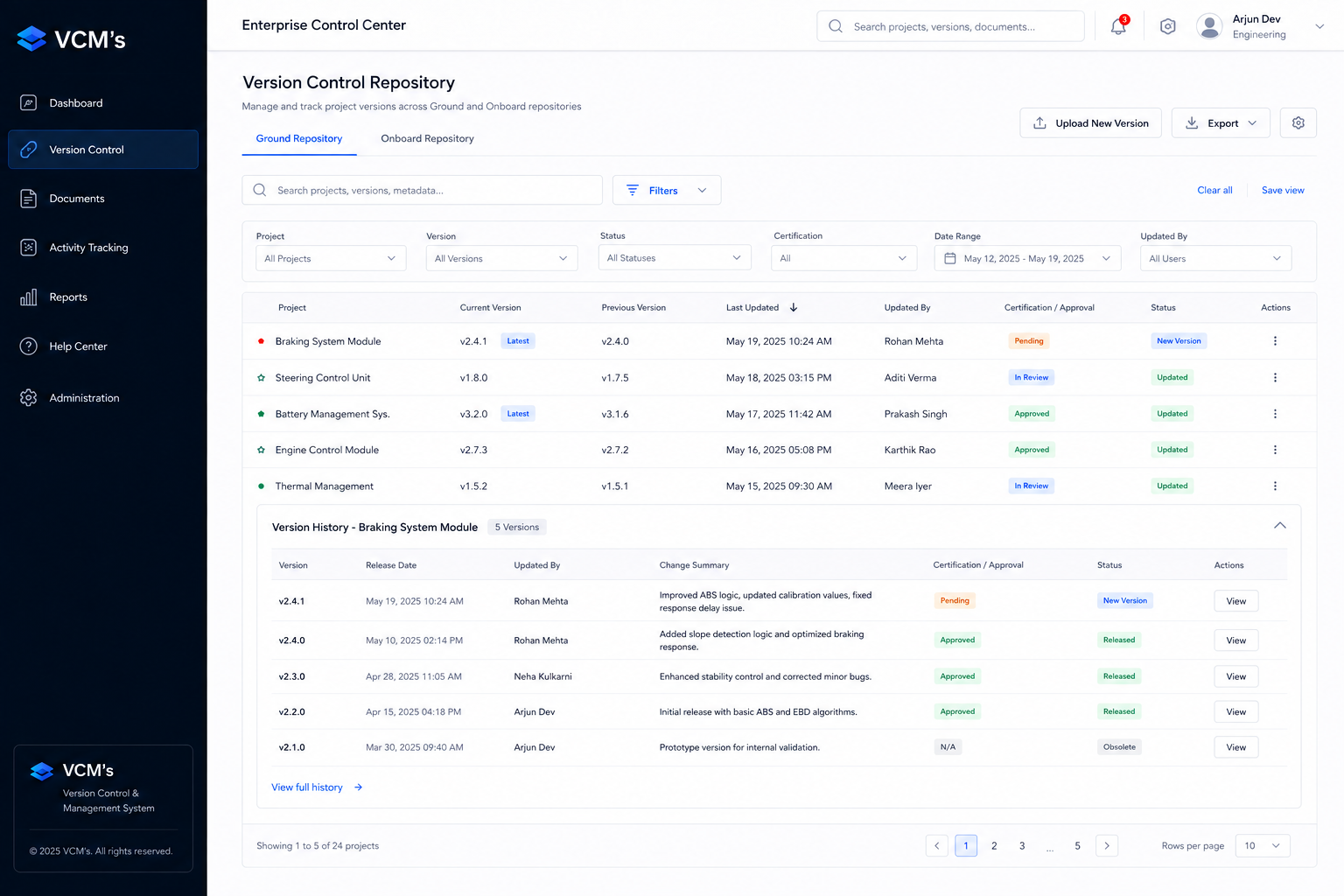
Turning dense records into a decision-oriented workspace.
The repository was redesigned around the user's scan path: identify the project, compare versions, verify status, and take action. Search, filtering, sorting, and contextual actions became core parts of the workflow rather than secondary controls.
v4.2.1 ● Approved Today View
v3.8.0 ● Review Yesterday View
3: Guided Version Upload
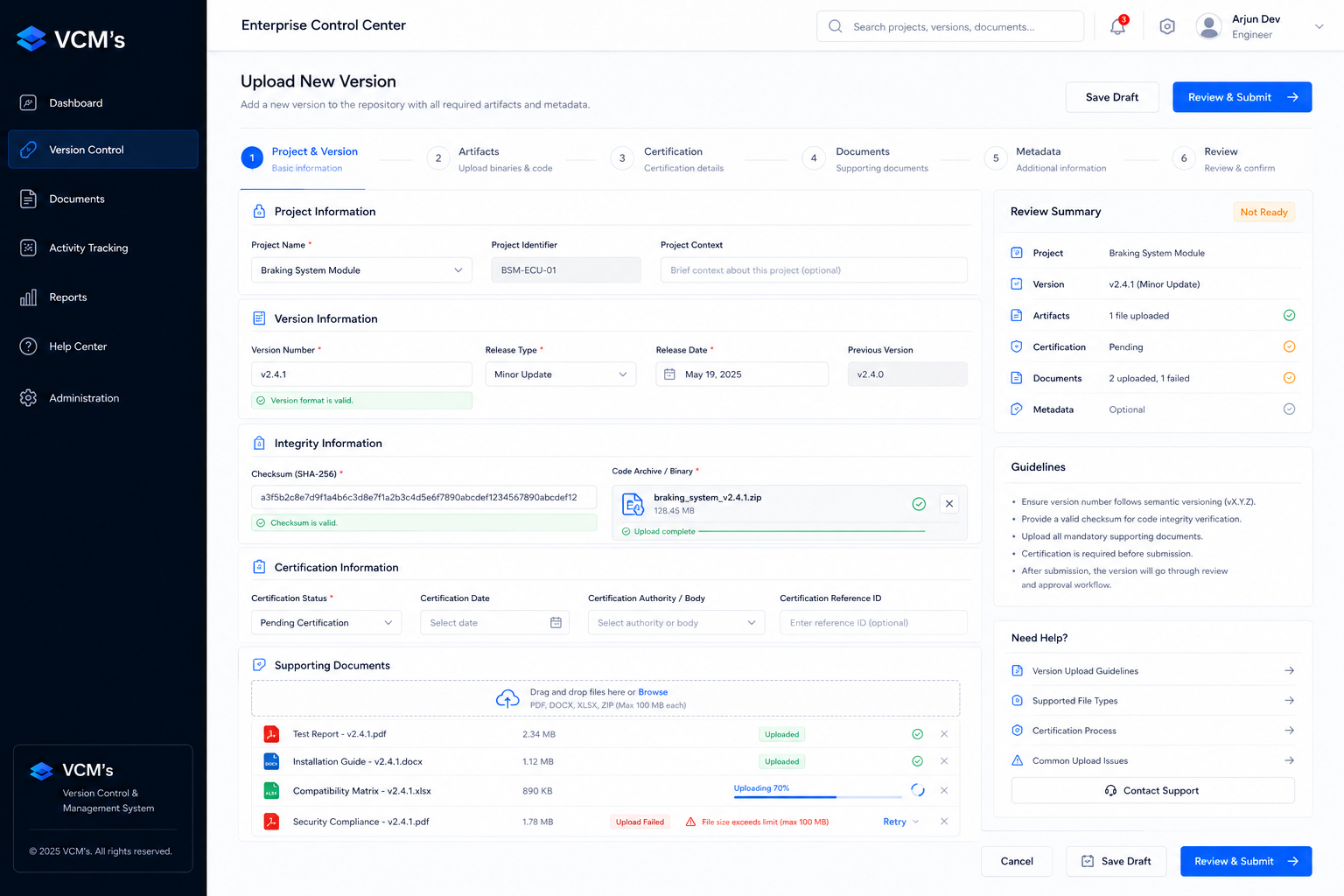
Designing for accuracy over speed.
Version creation was structured as a progressive workflow instead of a single information-heavy form. Metadata, artifacts, documents, certification, validation, and review were separated into clear steps.
- ✓ Project identification
- ✓ Version metadata
- ✓ Artifact upload
- ✓ Supporting documentation
- ✓ Certification information
- ✓ Review & confirmation
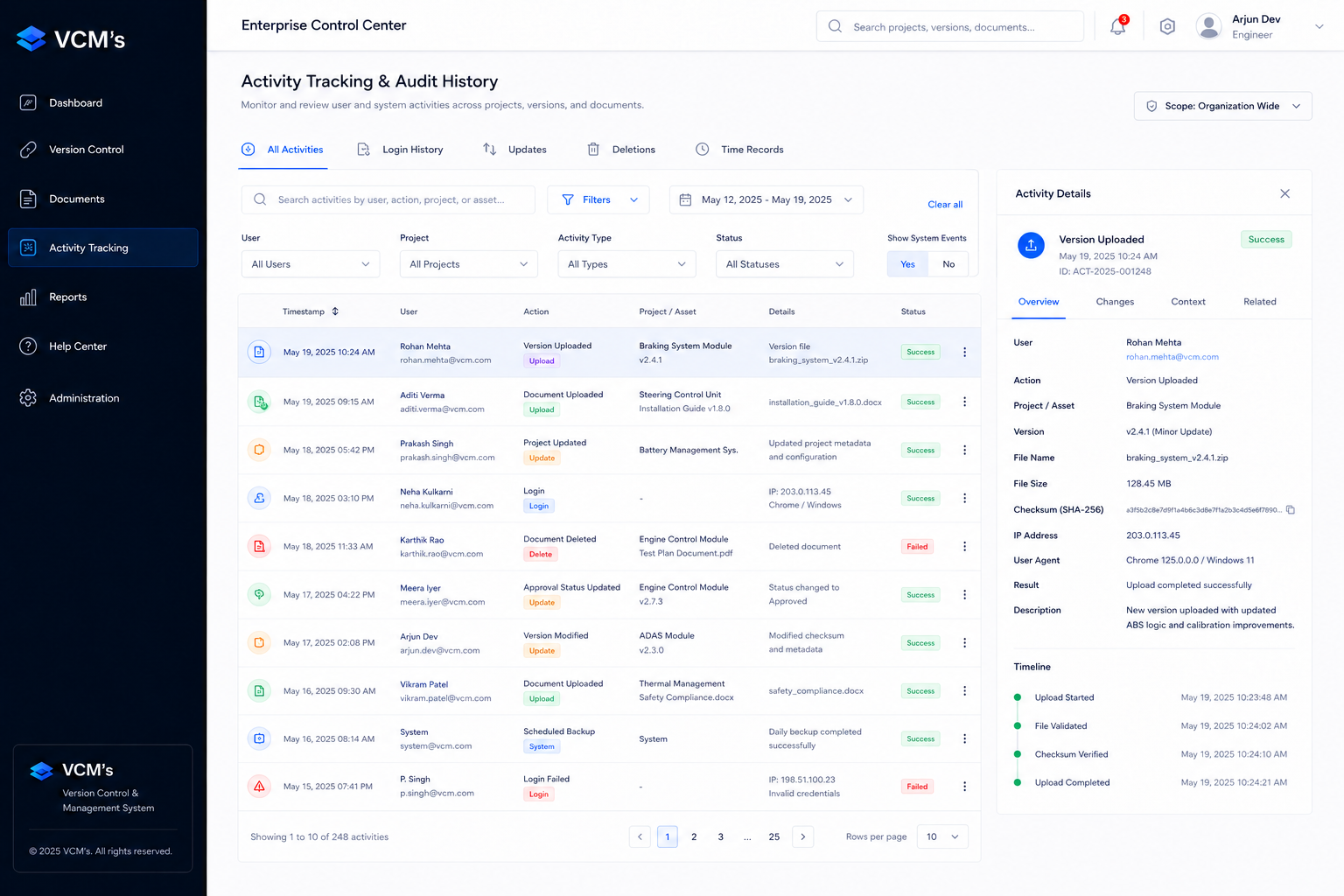
4: Traceability & Activity
Designing the system's memory.
Activity tracking was treated as a first-class UX capability. Each meaningful action was presented with enough context to answer the four questions users need during review: who acted, what changed, where it happened, and when.
5: Contextual Version Detail
Bringing the complete release story together.
Instead of making users navigate between separate records, the version-detail experience connected technical metadata, artifacts, documentation, certification, status, and activity within one contextual view.
The Final UI
Reflection
"This project reinforced that thoughtful UX can make complex enterprise systems clearer, more trustworthy, and easier to act on."
Next Case Study
Ethernet Data Transfers →