EthConnect
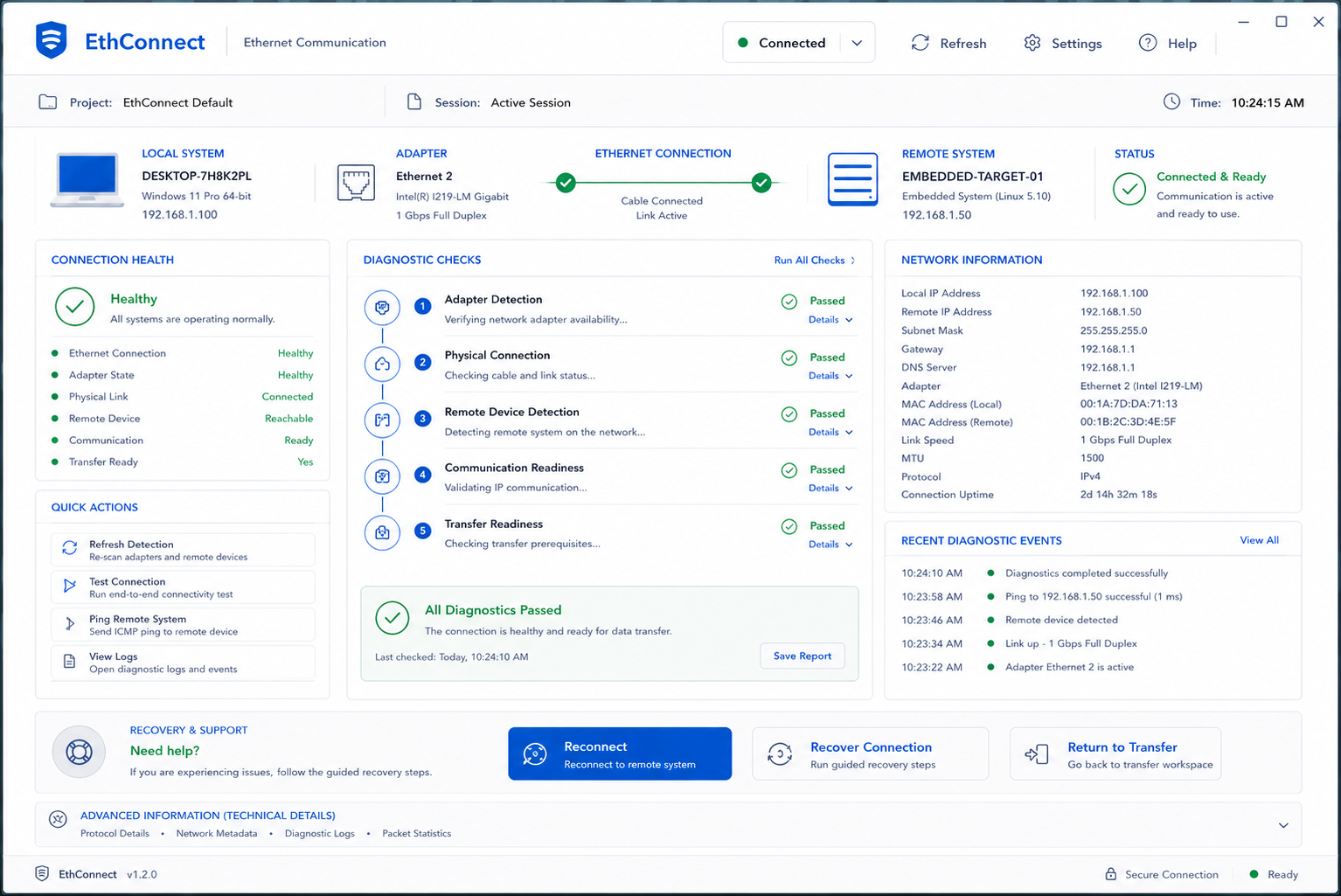
Transforming a complex Ethernet communication workflow into an intuitive desktop application that enables faster setup, reliable file transfers, and improved user confidence.
View Detailed Case Study →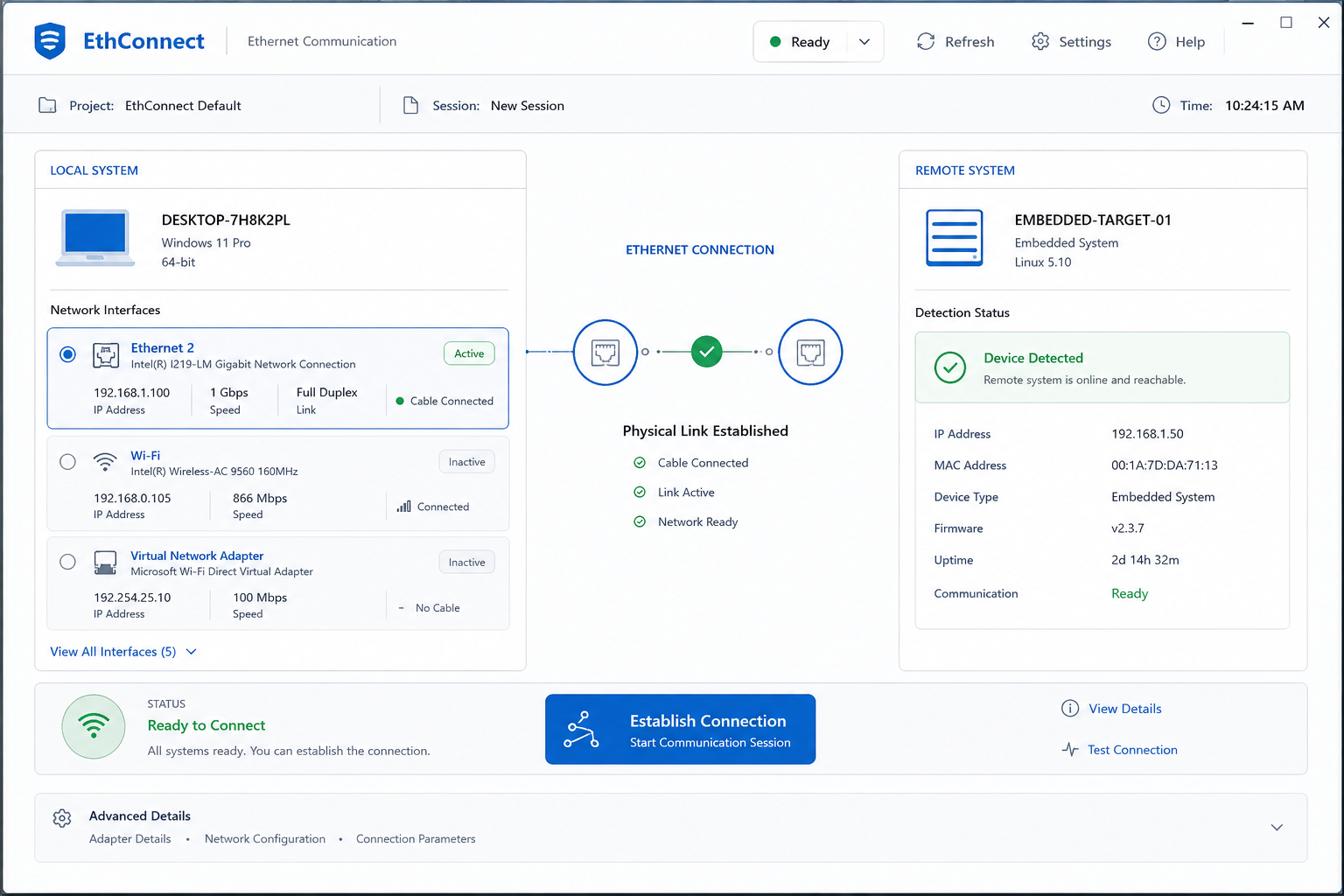
This case study omits sensitive product, operational, technical, deployment details.
Visuals and descriptions are presented at a high level to protect confidential project information.
Where project evidence was unavailable, assumptions and qualitative observations are clearly identified.
Networking configurations obstructed basic engineering tasks.
Why it mattered
Designing for the Network Engineer.

System Operator
"I just want to know which connection is active and whether my file reached the right device.I need to focus on testing, not figuring out network configurations."
The Friction
Users spent time understanding networks instead of transferring data.
The Goal
Make device communication simple, visible, reliable, and easy to complete.
User Workflow Painpoints
Finding right connection
Understanding connection status
Managing file transfers
Resolving errors confidently
What We Wanted
Simple Connection
Right connection without confusion.
Clarify Status
Know what is connected and happening.
Build Confidence
See where files go and progress.
Guide Recovery
Understand errors and know what to do.
What We Found
Many Connections
Users found it hard to choose the right connection.
Unclear Status
Users could not easily tell if connected.
Transfer Confusion
Users were unsure if their files were transferring.
Hard Errors
Users struggled to understand what went wrong.
How It Flows
Connection Status
Device Selection
File Transfer
Transfer Confirmation
How We Solved It
The Design Process
Transforming data storage into intuitive information management.
1: Enterprise Dashboard
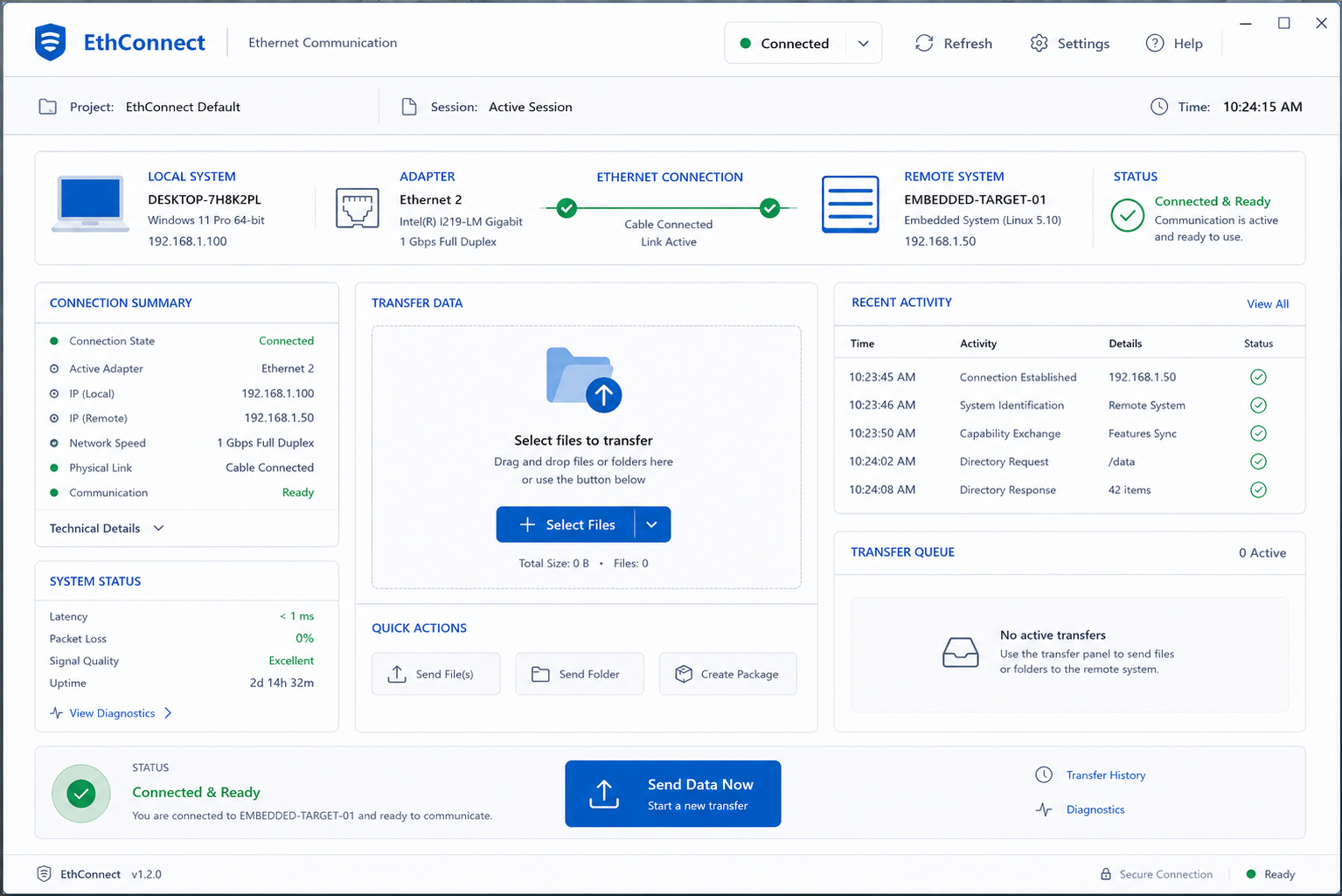
Establishing a high-level command view.
Rather than technical jargon, the interface used actionable connection cards displaying Adapter Name, IP, Speed, and Cable Status.
- 🟢 Connected
- 🟡 Pending
- 🔴 Disconnected
2: Smart Empty States & Error Prevention
Ensuring metadata completeness.
Generic technical exceptions like "Socket Exception" or "No Adapter Found" were replaced with actionable steps to assist non-networkers.
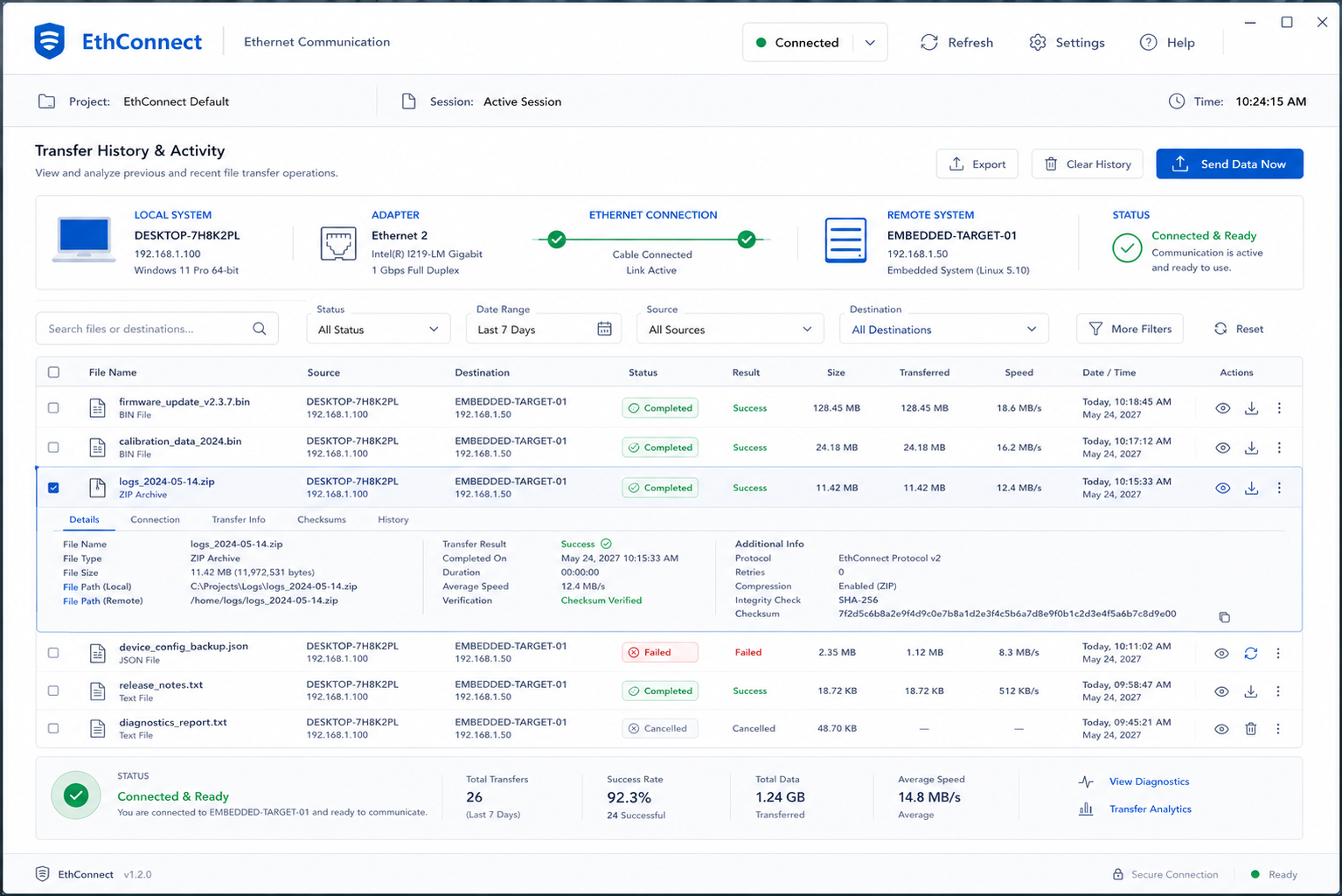
3: Immutable Activity Tracking
Building organizational accountability.
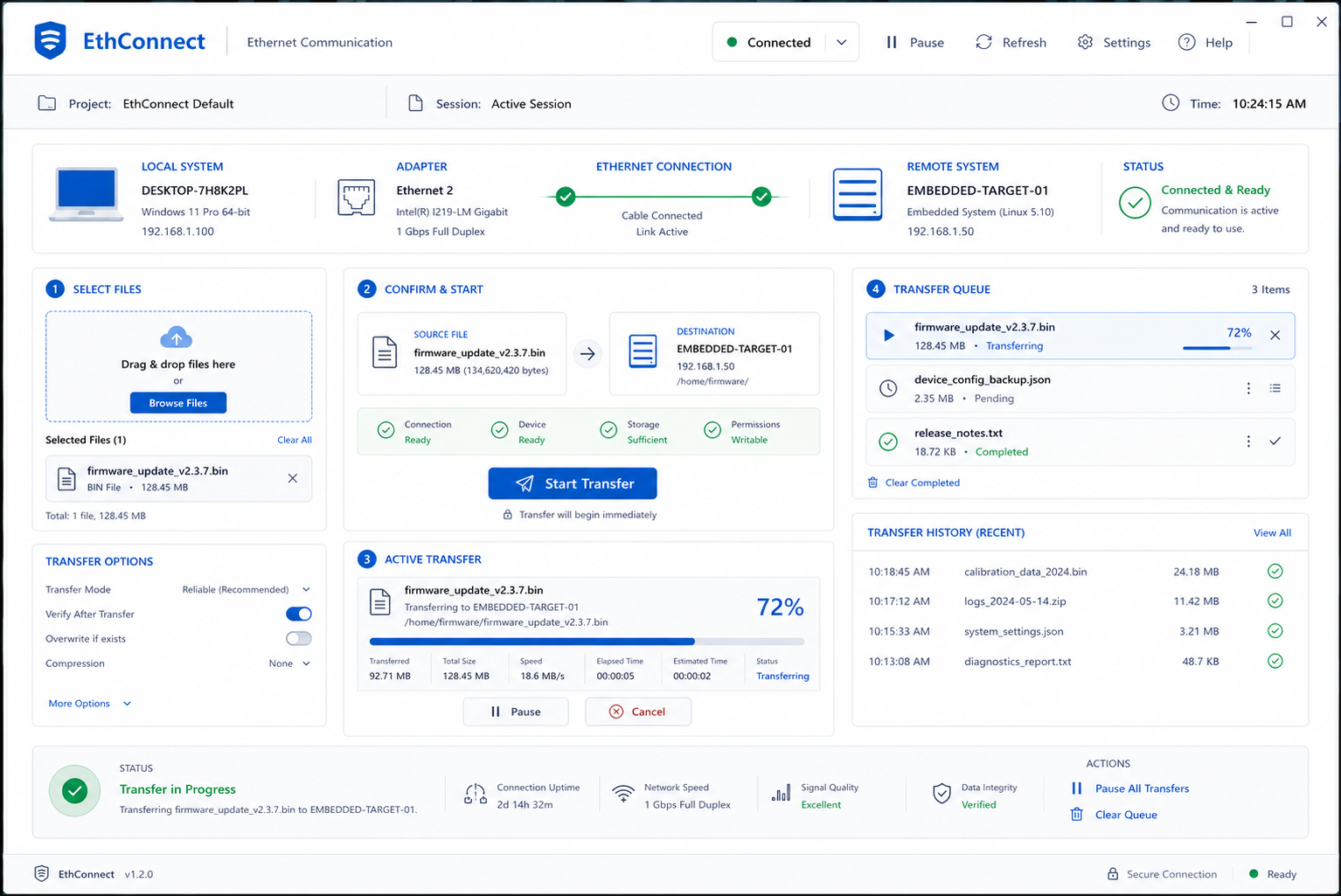
To prevent repeated button clicking out of uncertainty, the transfer UI included a dedicated drag-and-drop zone, live progress bars, speed metrics, and estimated time remaining.
The Final Look
What Changed & What I Learned
Key Takeaways
Reduce complexity without removing user control.
Keep users informed every critical interaction.
Turn errors into clear, actionable guidance.
Reflection
"This project taught me that great UX doesn’t remove complexity—it makes complexity easier to understand, navigate, and control."
Let's Connect
Start Next Project →