SecureLink
Redesigning a cross-platform communication system for secure defence operations, enabling reliable offline data exchange between Windows and RHEL systems while improving usability, visibility, and workflow efficiency.
View Detailed Case Study →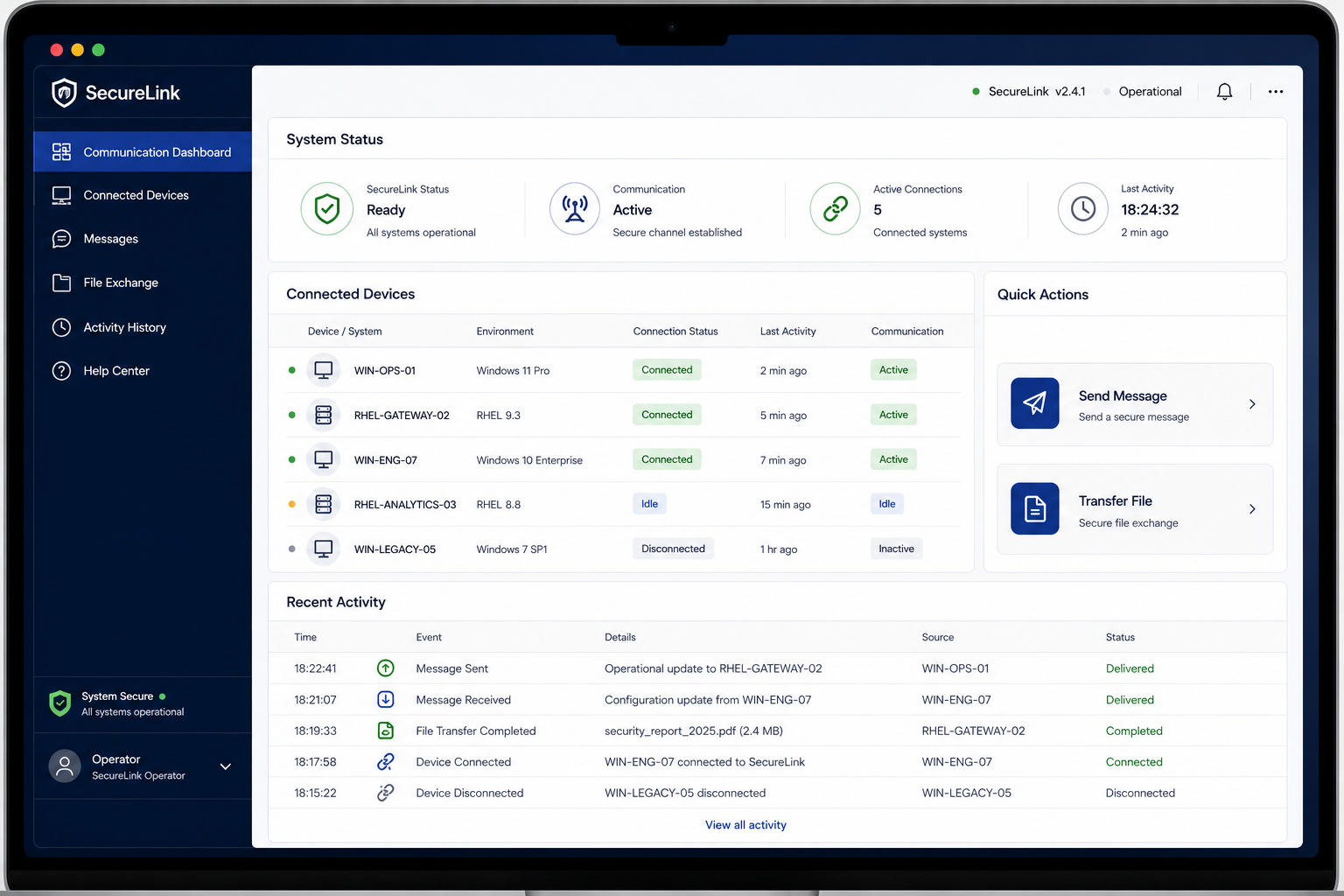
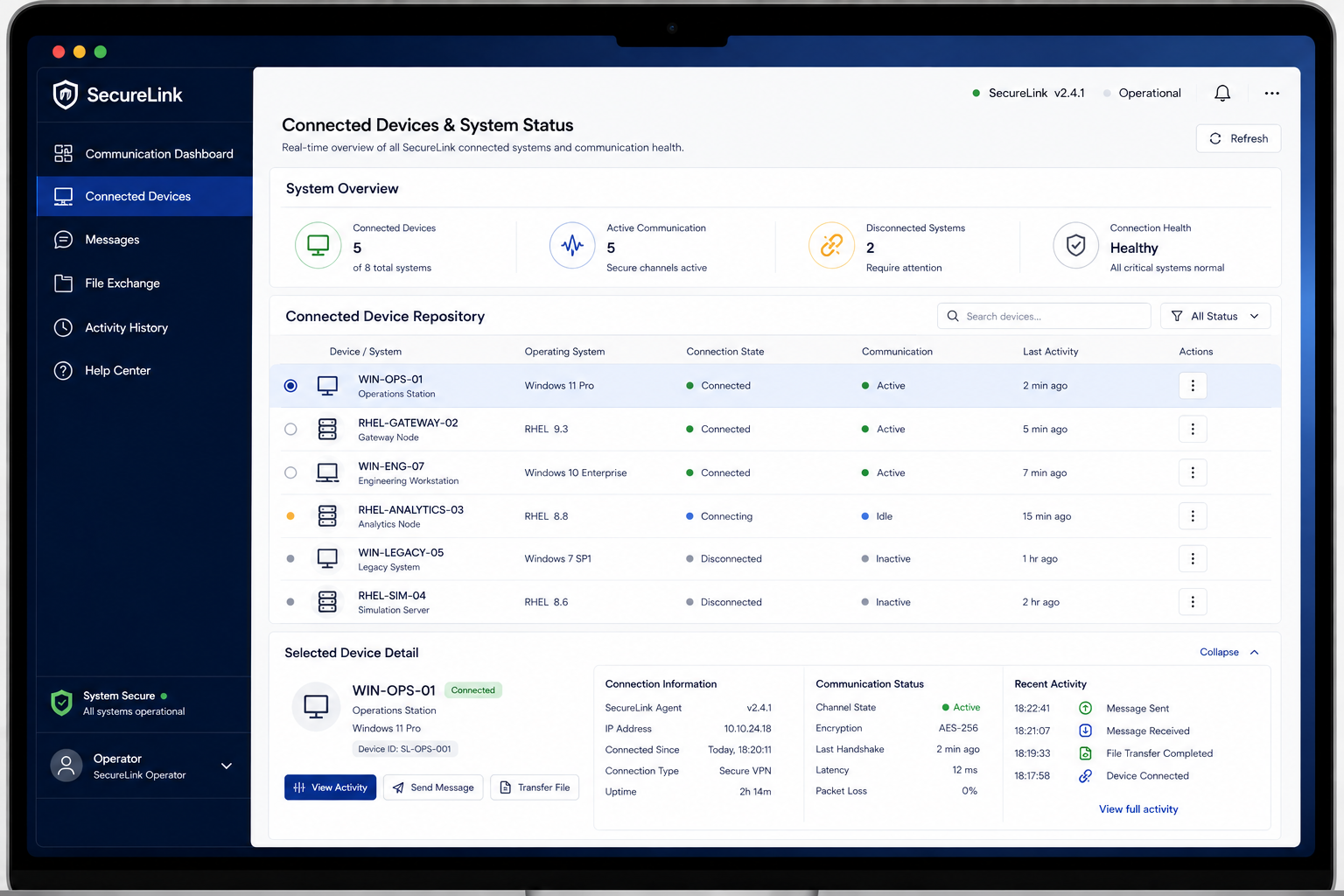
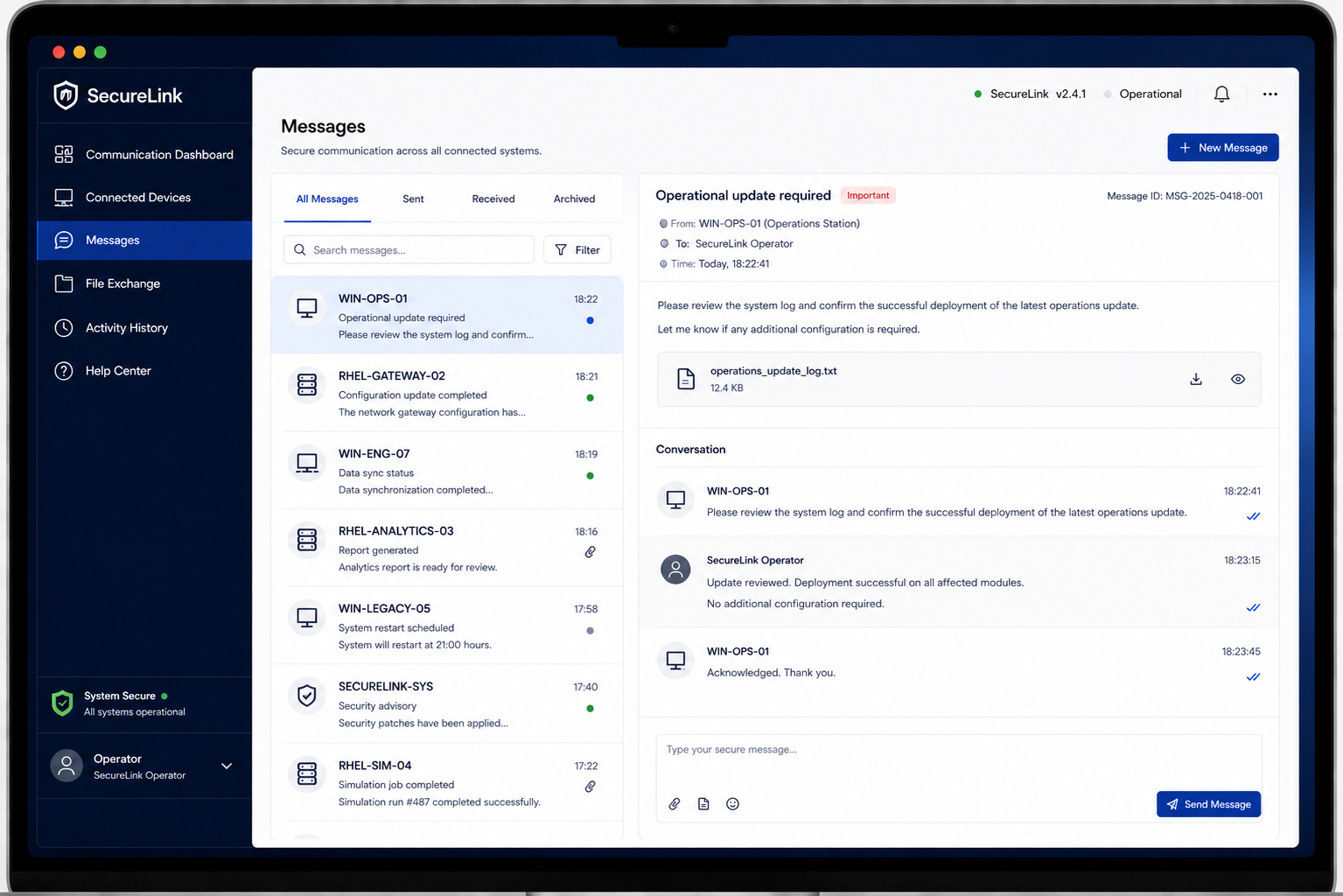
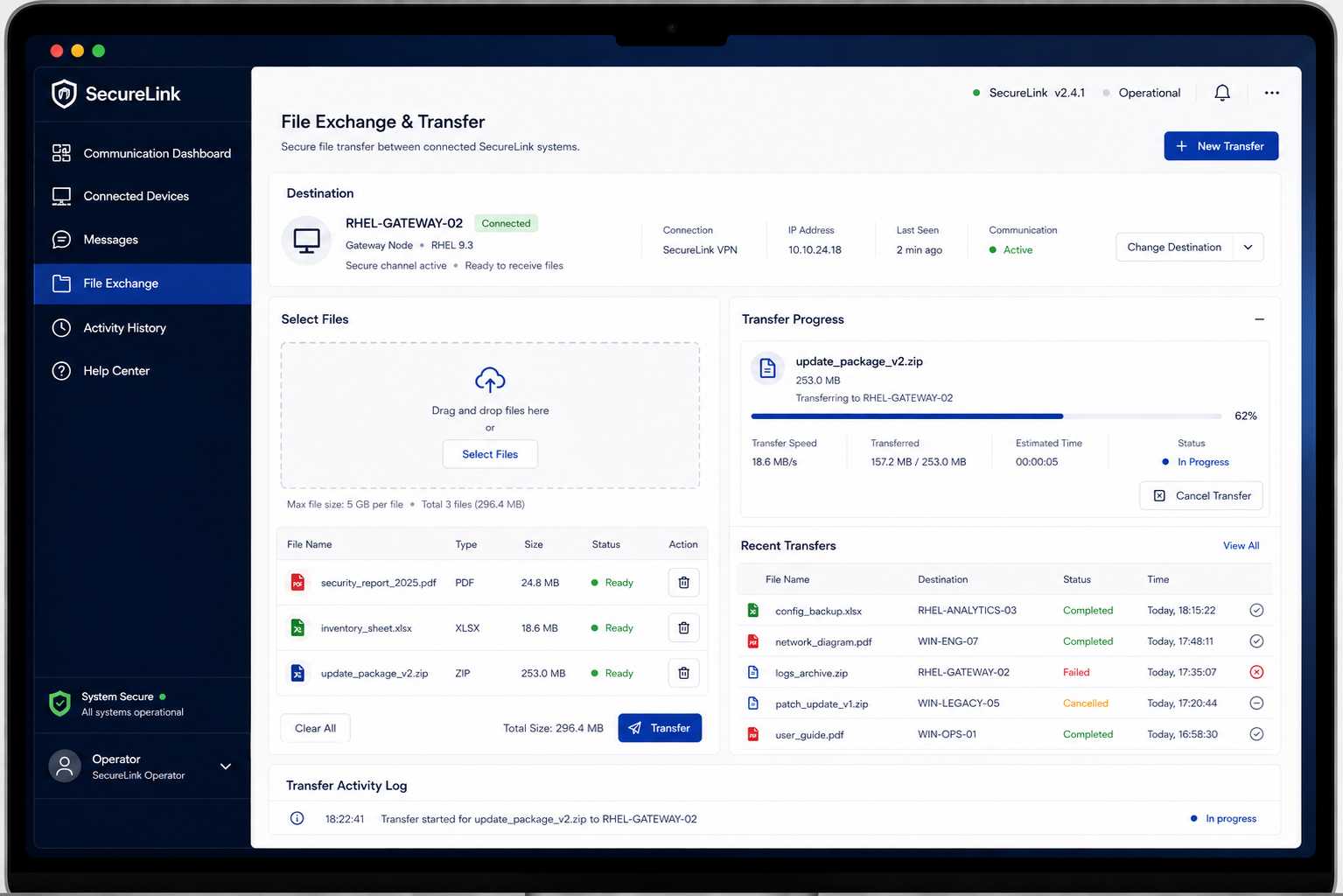
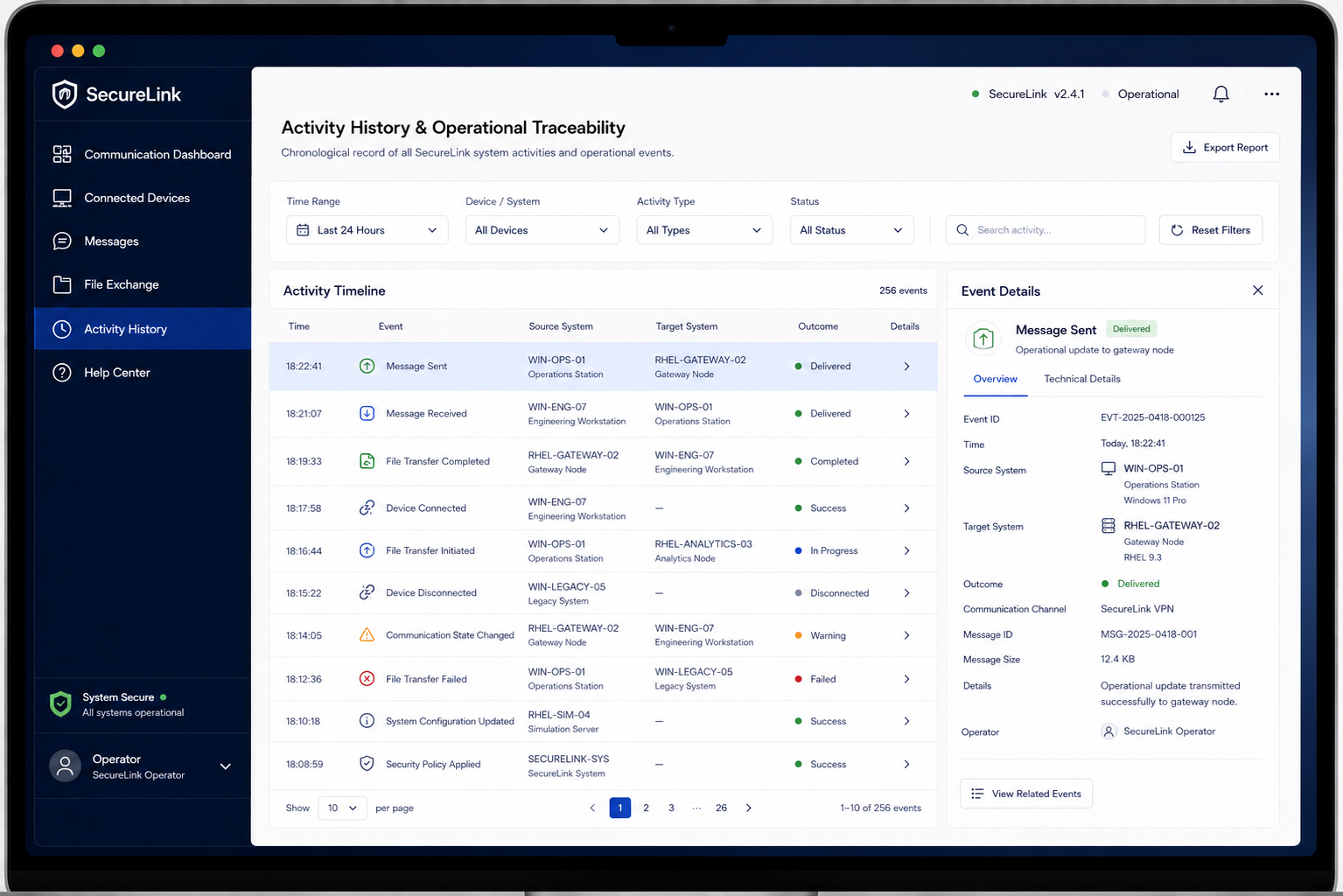
This case study omits sensitive product, operational, technical, deployment details.
Visuals and descriptions are presented at a high level to protect confidential project information.
Where project evidence was unavailable, assumptions and qualitative observations are clearly identified.
Making complex cross-platform communication easier to use.
Complex Setup
Technical configuration made starting a transfer more difficult than necessary.
Limited Visibility
Users had limited visibility into connection, transfer, and system status.
Unclear Recovery
Technical errors did not clearly communicate what happened or what to do next.
Why it mattered
Designing for users who manage secure data exchange.

System Operator
Clear Connections
Quickly understand available connections and identify the active communication path.
Unclear Status
Technical states and transfer feedback made it difficult to understand what was happening.
Confident Transfers
Complete data exchange with clear feedback, predictable workflows, and minimal uncertainty.
User Workflow Pain Points
What We Wanted
Simple Connection
Find and select the right connection without confusion.
Clear Status
Understand connection and transfer status at a glance.
Build Confidence
Know where data is going and when the transfer is complete.
Guide Recovery
Understand errors and know the next step to recover.
What We Found
Too Many Connections
Multiple connection options made the right choice difficult to identify.
Unclear Status
Connection states were not always easy to understand at a glance.
Transfer Uncertainty
Users needed clearer feedback during data transfers and completion.
Difficult Errors
Technical errors did not always make the next action clear.
Strategy to Structuring
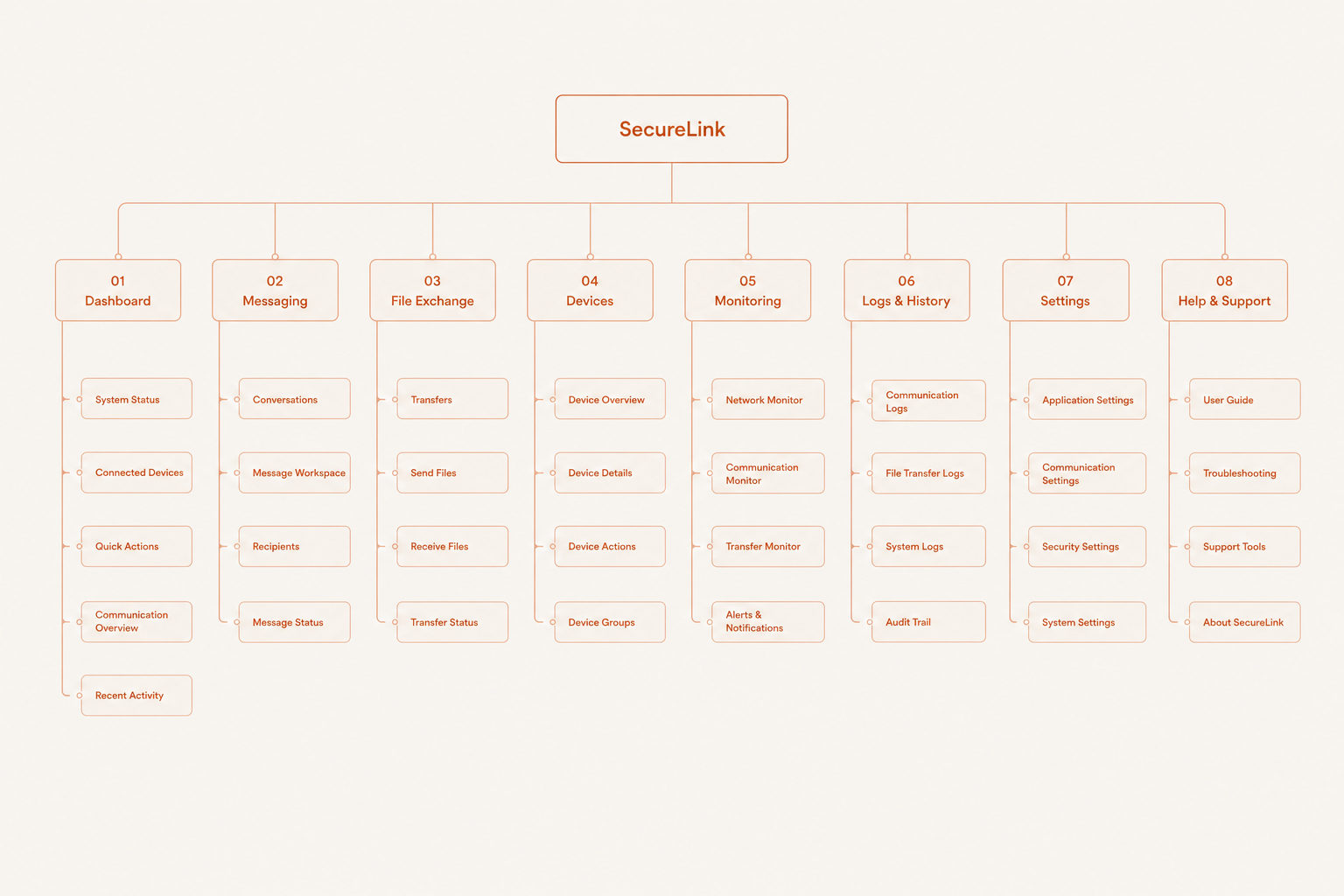
How We Solved It
The RAW LOOK
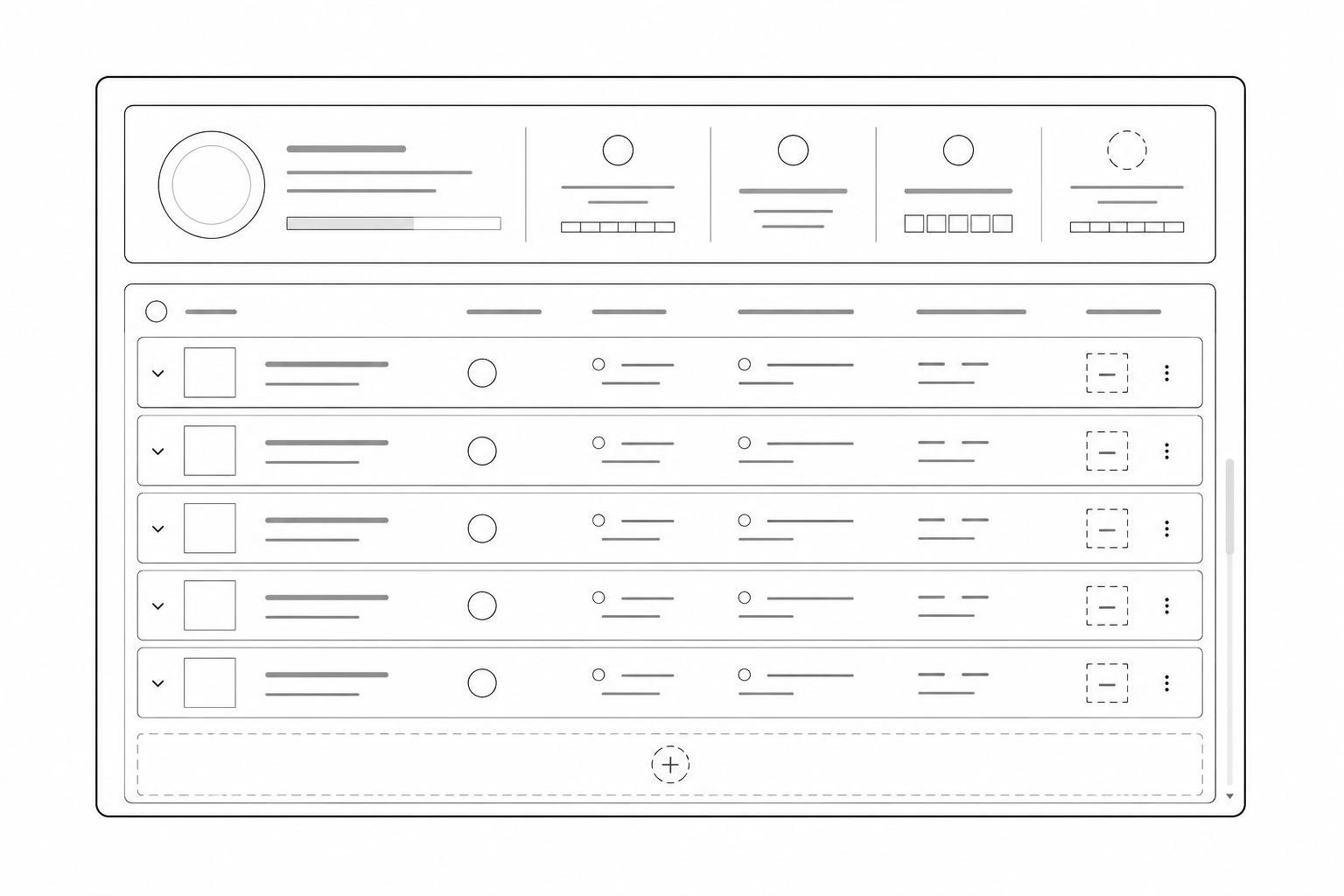
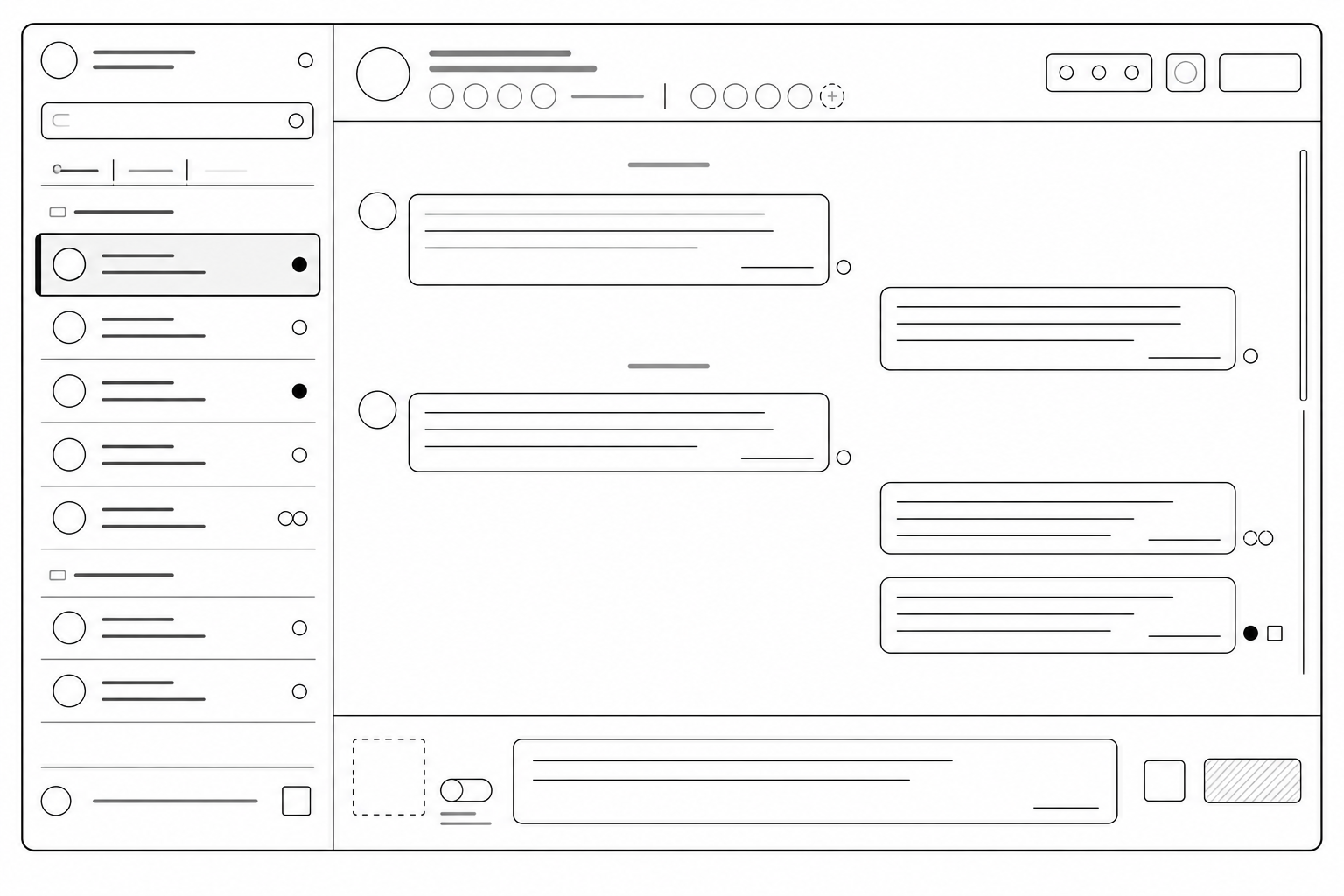
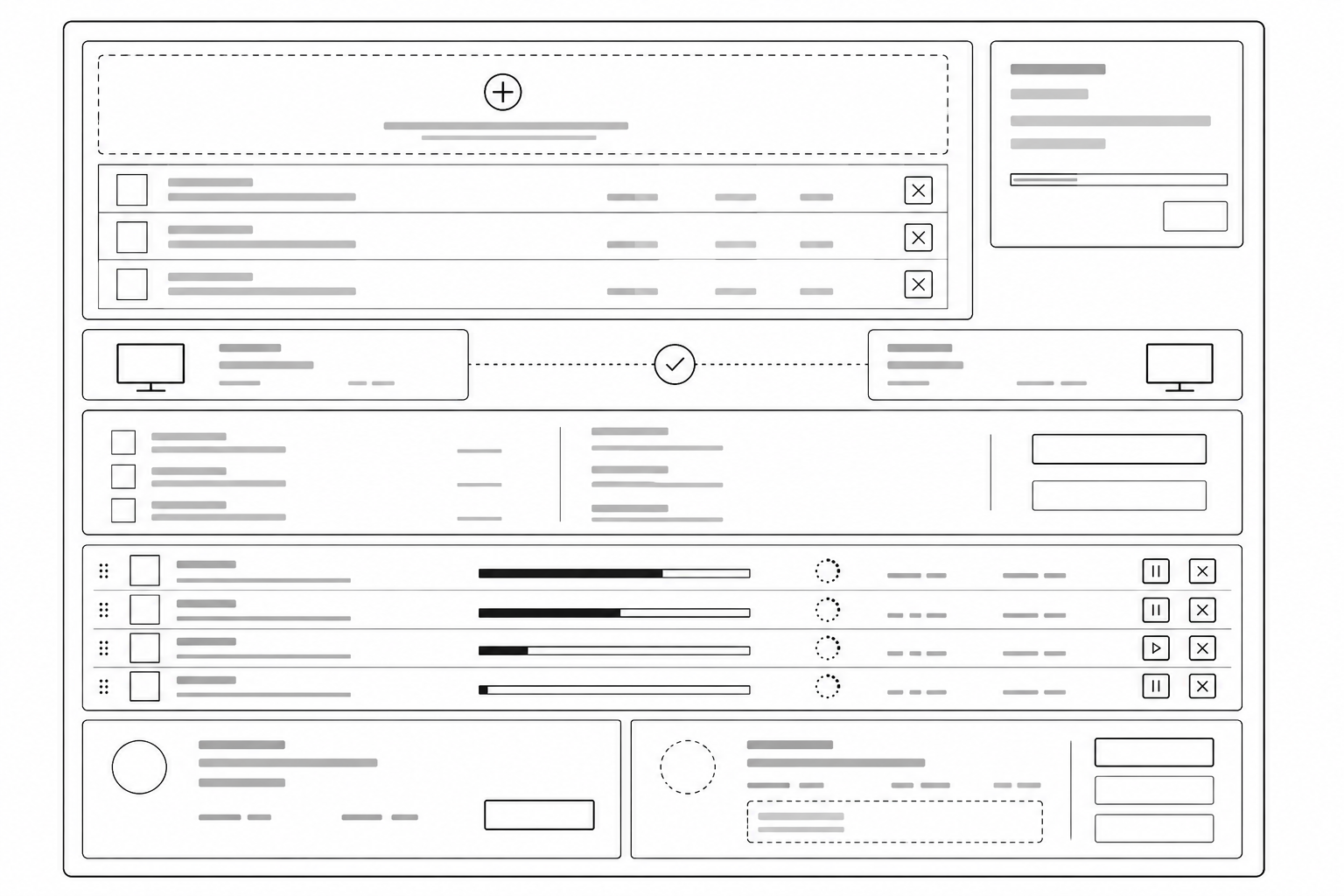
The Design Process
Simplifying secure communication into a clear and manageable workflow.
The secure connection could not be established. Check the destination system and try again.
The Final Look
What Changed & What I Learned
Key Takeaways
Simplify technical workflows without hiding important information.
Clear connection and transfer feedback helps users stay confident.
Errors should explain what happened and guide users toward the next step.
Reflection
"This project taught me that in secure environments, good UX is about making complex communication clear, visible, and predictable—without taking control away from the user."
Let's Connect
Explore Version Control Management →